
HR Manage module
People management — one record for everyone on site
Employees, contractors and learners sit in one org structure. Records, movements, documents, cases and assets live in one place.
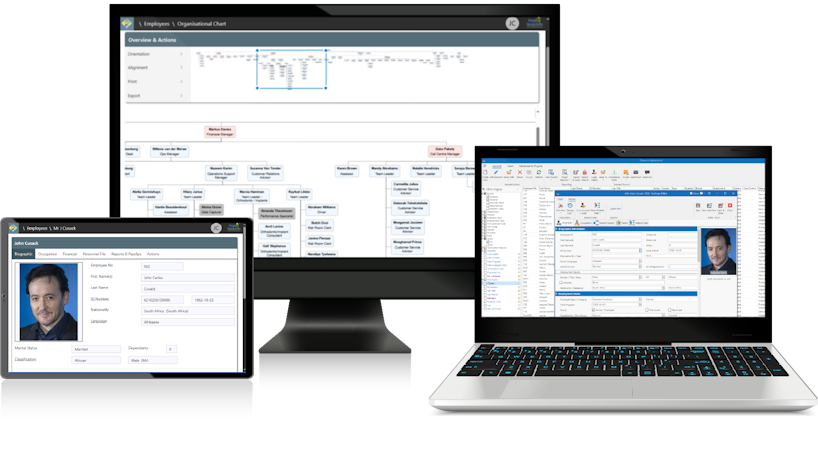
who keep records for thousands of people and need one place to find any of them.
who want to see their team, their documents and their movements without asking HR.
double capture: payroll feeds the records, so HR stops retyping what payroll already knows.
One org structure for employees, contractors and learners
HR Manage stores every person as the same kind of record, with a type. Standard employees, external contractors, employed and unemployed learners and talent-pool candidates all sit in one database. Contractors link to a main contractor and, where needed, a sub-contractor. External companies are records in their own right, with their own compliance requirements. The org structure runs from company down to branch, department and division, with organisational units and positions on top. Security follows the structure: a user only sees the locations they are allowed to see. Organisational charts generate from employees, positions, org units or job titles.

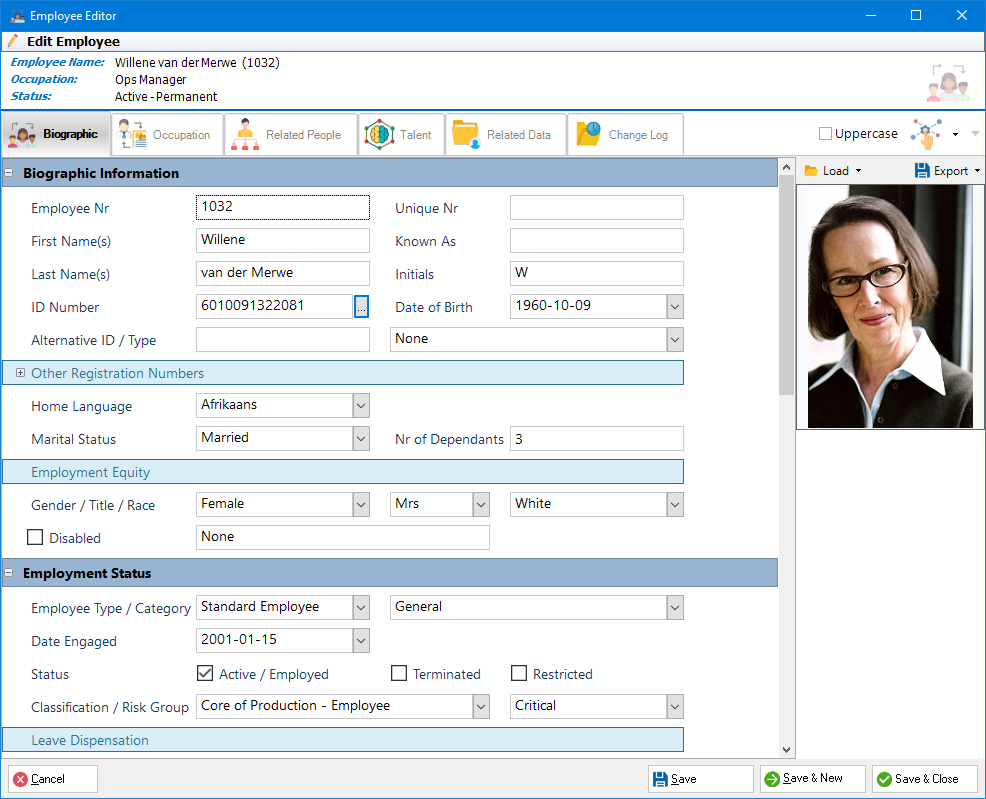
Biographical data, documents and positions in one file
Each person's file holds personal, contact, address, employment and organisational information, plus banking details and reference numbers. Relatives, emergency contacts and benefit dependants are captured against the person. Documents loaded as proof of compliance sit on the same file. Each carries an issue date, expiry date and reference number. Custom fields and headings extend the editor where a client needs fields HR Manage does not ship. Occupations record the position, job title, grade, manager, location, cost centre, employment type and shift. Terminated people stay on record and can be restricted so they cannot be reactivated by mistake.
Movements, history and batch updates
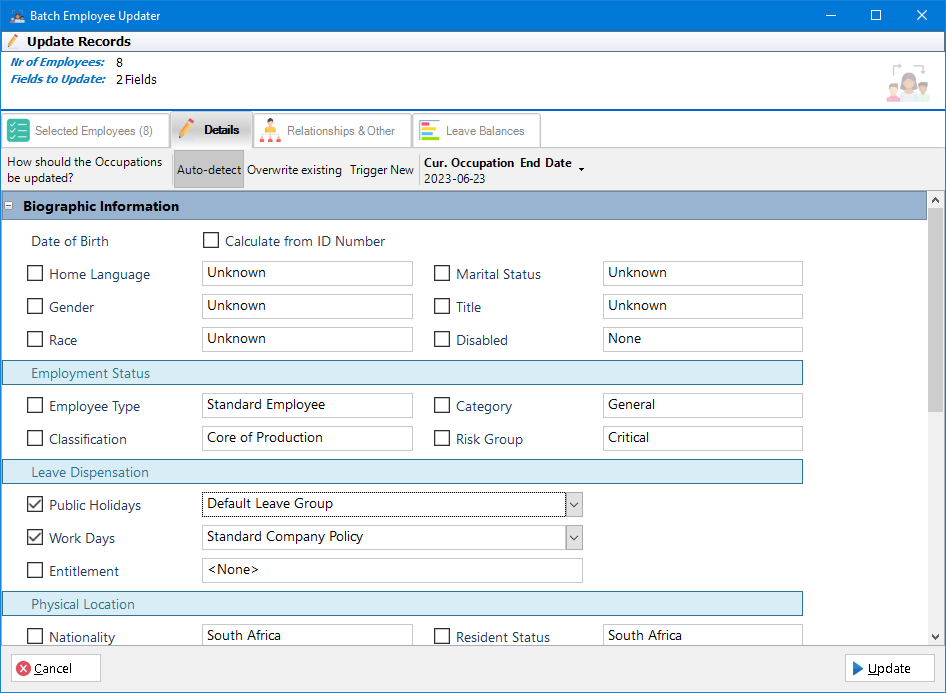
Every change of position, job title, manager or location creates a new occupation. It carries a start date, an end date and a reason. That history is the movement record for promotions, transfers and terminations. Payroll imports write the history automatically when a job title or location changes. For bulk changes, practitioners update people in batches. They set a manager, link requirement groups, set leave approvers or start workflows for a filtered list. Managers see staff movements for their team in the weekly team view on the home page.
Imports from payroll and other sources
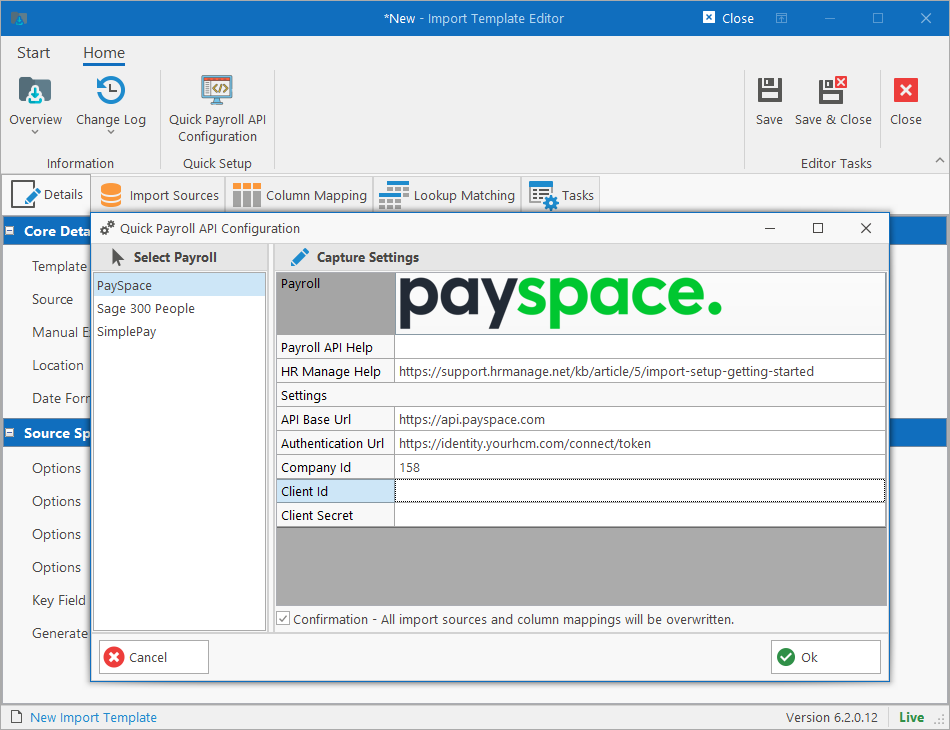
The importer reads from SQL Server, Excel, CSV, fixed-width and XML files, JSON and web APIs. Live templates pull from Sage, PaySpace OData and SQL sources. Templates match people on employee number or other key fields and stage, match and process rows in one run. Imports can also run inside a workflow, so an onboarding process can create the person from captured form fields. The Windows importer was upgraded for version 7. AI assists with mapping and matching columns from a payroll or other source. Positions can be imported as well as people.
Self-service for employees and managers
The version 7 web application is the self-service surface. Employees open their own file: overview, contact details, compliance documents, assigned assets and leave. The latest payslips show where the payroll supports it. Managers see the same for their subordinates. Their home page adds a team widget, who is out, birthdays and anniversaries. Compliance for a team is listed with filters, and advanced filters are a security role. Reports and the compliance summary PDF generate from the file. Admin and bulk tooling stays in the Windows application for practitioners.
Industrial relations
The IR register holds disciplinary, grievance and investigation cases against an employee. Each case carries a reference number, type, category, priority, severity, who reported it, a subject, details and costs. A case moves through hearings in the order the case type defines: internal hearing, mediation, CCMA or Labour Court. Each hearing type has its own outcome categories. A hearing records the referral date, scheduled date, institution, notice date and chairperson. It also records union and legal representatives, in limine points and the outcome. Categories can be marked confidential and limited to a security group. Case statuses run from intake to closed, withdrawn or declined.
Asset register
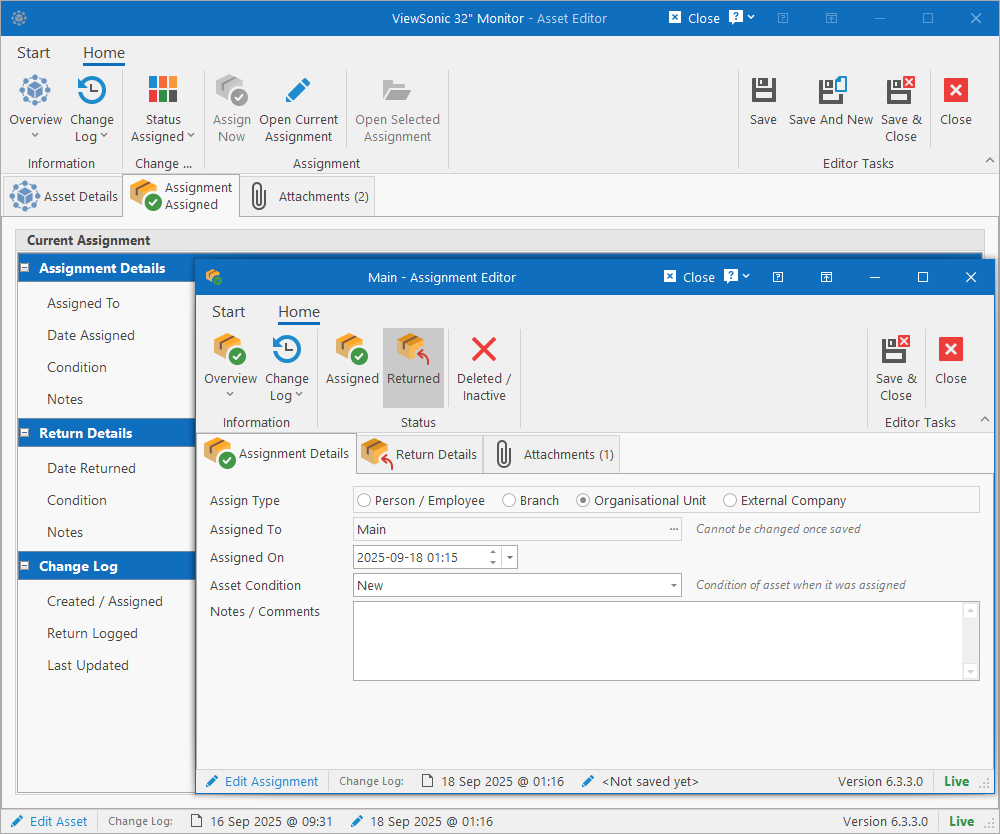
The asset register tracks equipment issued to people, locations, org units and external companies. Each asset has a category, type, tag, serial number, barcode, make and model. It also records purchase date and price, useful life, warranty expiry and current value. Assignments record the condition at issue and at return, comments, and a checklist from the asset type. Status covers active, in storage, under repair, assigned, retired, disposed and lost or stolen, with a reason. Attachments sit on the asset. Employees and managers see assigned assets on the web Employee File.
---
Everything the module covers
One database
Employees, contractors, learners and candidates as typed person records.
Org structure
Company, branch, department, division, org units and positions.
Location security
Users only see the locations and levels they are granted.
Occupation history
Every movement dated, with reason, manager, grade and cost centre.
Custom fields
Add fields and headings to the editor without development.
Batch updates
Change managers, approvers or requirement groups for many people at once.
Importer
SQL, Excel, CSV, XML, JSON and web API sources with matching rules.
Org charts
Generated from employees, positions, org units or job titles.
Relatives and dependants
Family, emergency contacts and benefit dependants on the file.
IR cases
Disciplinary, grievance and investigation cases with hearings and outcomes.
Asset register
Issue, return and track equipment with conditions and checklists.
Compliance pack
Download every document in a requirement group as one zip.
Works with the rest of HR Manage
Trusted by South African employers since 2001, including Assore, Fidelity, RCL, Tshipi and Waco.


Questions we get asked
Can contractors and employees be kept in the same system?
Yes. A contractor is a person record of a different type. It links to a main contractor and, if needed, a sub-contractor. The external company is also a record, with its own compliance requirements. Everything available for an employee can be switched on for a contractor: compliance, training, assets and related data. Security decides which users may open which people.
How do staff movements get recorded?
Each change of position, job title, manager, location or shift creates a new occupation record. It holds start and end dates and a reason. Payroll imports write this history automatically when a title or location changes. The result is a dated movement history per person, used for reporting on promotions, transfers and terminations.
What can employees and managers do online?
In the version 7 web application employees open their own file. It shows personal and contact details, compliance documents, assigned assets and leave. The latest payslips show where the payroll supports it. Managers see their subordinates, team compliance, who is out and staff movements on the home page. Bulk and setup tools stay in the Windows application for practitioners.
Which payrolls can feed the records?
The importer reads SQL Server, Excel, CSV, XML, JSON and web API sources. Live templates exist for Sage 300 People, PaySpace and SimplePay. Import templates match people on employee number or other keys and run on a schedule or on demand. The payroll integration page lists the current connectors.
Does the system handle disciplinary cases and hearings?
Yes. The IR register records disciplinary, grievance and investigation cases with categories, priority, severity and costs. Hearings follow the sequence set for the case type, such as internal hearing, CCMA and Labour Court. Each records outcome categories, chairperson, representatives and institution reference numbers. Confidential categories restrict a case to a security group.
---
One file per person, from first day to last, with the history to prove it.
A 45-minute walkthrough on your own org structure, with your questions answered by the people who build it.