
Current version
HR Manage 7
Version 7.0.0.12 was released on 5 October 2026: the largest upgrade in the 25-year history of HR Manage, built around a new web application on ASP.NET Core for .NET 10.
7.0.0.12
a major upgrade, released on 5 October 2026
.NET 10
the new web application, rewritten from the ground up on ASP.NET Core
7 areas
use AI in this release; it is optional and metered separately
Weekly
maintenance releases, each one fixing what clients have reported
Released 5 October 2026
What’s new in version 7
Released on schedule and deployed as the default version for new clients, now rolling out to existing clients. The initial release rebuilds the most important areas of the system; further modules move to the new web application in later phases, and established functionality remains fully available throughout.

A new web application
Rewritten from the ground up on ASP.NET Core for .NET 10: faster, cleaner and designed to perform at scale, with a modern design, your company colours and full dark mode.

People & Compliance
The redesigned Employee File puts personal, employment and organisational information on one overview, with visual summaries for compliance, leave, training and assets. Managers get a weekly view of their team; employees can view their latest payslips from a supported payroll.

Leave, redeveloped
Faster, dynamic applications with balances recalculated as the dates change, month and timeline planners, batch approvals, blocked days and an automatic daily leave run in place of the month-end process. Managers approve or reject straight from the e-mail.
Third-generation workflows & forms
Paging for organisations running thousands of open workflows, redesigned forms with more field types and conditional logic, new Sleep, Complete Document and Internal Document Signing activities, batch approvals, grouped escalations and export of an entire workflow to PDF.

Training online
Managers see training compliance for their teams and request renewal training as expiry approaches. Practitioners share a training event by QR code so learners sign an online attendance register during the session.

AI, integrated
Our first AI-enabled release: AI in seven places, with one rule throughout — it removes the grunt work and leaves the decision with the user. Batch document upload for compliance, help designing forms, and column mapping in the Importer. Optional and metered separately.
Platform
Built-in multi-factor authentication, lazily loaded dashboards that no longer hold up sign-in, a rebuilt e-mail notification platform with richer content and quick actions, and automatically generated organisational charts.

Windows application
A new Organisational Chart builder and an upgraded Importer alongside the new web application; established functionality stays available throughout the phased rollout.

New identity, weekly releases
New logos for HR Manage and People Resolutions in our 25th year, and a maintenance release every week for the foreseeable future, fixing what clients report and adding features where ready.
In detail
What changed, area by area
A summary of the release notes for version 7.0.0.12. The full notes list every change.
Still to come
Phase 2: HR Manage Recruit. Our recruitment module moved to a second phase so it gets a launch of its own, soon. Follow it on the roadmap.
Phase 3, second quarter of 2027: Job Profiling & Performance Management and Incident Reporting move to the new web application. Until then they stay fully available on the established platform.
Weekly maintenance releases
For the foreseeable future version 7 gets a maintenance release every week, each one fixing what clients have reported and, where ready, adding features. They are listed on the maintenance releases page in the help portal.
Sign-in, dashboards and security
- Dashboards load after sign-in instead of during it, so signing in is quick and the system is usable straight away.
- Windows application: the legacy dashboards are gone. Each module has a standard dashboard, or you replace it with your own BI dashboard.
- BI dashboard designs can be exported and imported, so you design on QA and import into Live.
- Multi-factor authentication is built in and can be enforced for the Windows application, the web portal or both.
- Users can store their signature on their profile, and the third-party components are updated.
Email notifications
- The notification platform is being rebuilt: fixed, programmatically generated notifications with selected parts you can customise, in place of fully hand-designed HTML.
- That makes richer content possible, for example a leave notification with balances, who else is on leave in that period, and Approve and Reject buttons in the email itself.
- A new email client sends notifications properly over SSL.
AI integration
- Seven areas use AI, with one rule: it removes the grunt work and leaves the decision with the user.
- Compliance: upload a batch of documents and AI identifies each one, assigns it to the right requirement and extracts dates and other fields. Each requirement type sets its own level (disabled, identification only, or identification with field extraction), and AI can draft those instructions from sample documents.
- Form design in Forms & Workflows and in Document Signing.
- The Importer: help with the initial column mapping and with matching lookup values.
- AI is optional; AI credits are metered separately from the monthly fee.
Web application
- Simpler themes: pick light or dark mode and an accent colour, or use the theme designer for a fully custom look.
- Online help built in: the Help button opens the article for the page you are on.
- Administrators choose the filter fields and listing columns on pages such as Browse Employees and Workflows.
- Large lists are paged from the server, so there is no up-front loading time.
People management
- The Employee File is rebuilt: everything from the old tabs on one Overview, plus Personnel File (relatives, compliance documents, assets), Compliance, Leave and Training tabs with visual summaries.
- Manage Sub-Ordinates shows the week ahead for your team: birthdays, anniversaries, upcoming leave, training and staff movements.
- Browse Employees with configurable filters, and a compliance overview of documents and training for managers.
- A new Out of Office setting, set automatically when leave starts, routes leave approvals to secondary approvers.
Leave
- Rebuilt in both the Windows and the web application. A New Leave Wizard creates leave in batches and shows each employee's current and future balance.
- Leave rules are embedded in the record: one application can draw on several leave types, instead of being rejected and split in two.
- Leave groups can block days on which no leave may be taken.
- A faster application page with instant balances and enforced rules (such as attachments after a number of consecutive days), a planner with month and timeline views, and a simpler landing page.
- Batch approvals from the list, with the planner moving to the dates of the application you open.
- An automatic daily leave run replaces the month-end run, with support for non-standard accrual such as sick leave for new employees.
Compliance
- The Requirement Type Editor is rebuilt, with online help and the AI settings; the Requirement Group Editor shows its change history.
- A Batch Upload tab on the employee's compliance section, and a general Batch Upload screen in the Employee Manager where AI works out who each document belongs to.
- Fixes to the Compliance report (a “duplicate key” error, and training shown as expiring after a renewal was scheduled).
Organisational charts
- Charts for positions, employees or organisational units, generated from the links already in the system.
- A choice of node styles, fields and photos; expandable nodes; automatic layouts; export to an image or PDF.
- “Org-Chart from Here” buttons in the Employee Manager and Position Manager, and the charts can be viewed online.
Document signing
- The PDF form designer snaps controls to an invisible grid, and an AI Form Builder proposes the form controls for each role.
- An upgraded public signing portal; HR Manage users can authenticate with their HR Manage login, with their signature preloaded.
- New activities: External Document Signing (the existing one, renamed), Formal Internal Document Signing, Informal Internal Document Signing and Document Completion for Word, Excel and PDF files.
- Users store their own signature and initials, encrypted and usable only by them.
Forms & workflows
- The third generation of the workflow platform: paged browsing for organisations with thousands of open workflows, and export of a whole workflow to PDF.
- New and upgraded activities: Sleep, Complete Document, Internal Sign Request, richer Form fields and decisions, batch Load Requirements (with AI), multi-clause Decisions, Send Email to Group with workflow fields, Create Training for classroom training, Custom Execution (IT administrators only) and plugin activities with their own interface. Most can start automatically.
- Designer improvements: drag activities from the toolbox, move connectors between snap points, clearer Success and Failure connectors, notifications per workflow template.
- Batch approvals, one grouped escalation email per recipient, and batch completion in the Windows application.
Training
- An online attendance register: the instructor shares a QR code or link, learners sign in or find themselves by ID number and sign on a signature pad, and the event page updates immediately.
- Managers see their team's training compliance and request renewal training before it expires.
- Training events can be cancelled or deleted in bulk, with their training records.
Importer
- Positions can be imported, and the Import from Workflow activity can create a position, with its import template built in.
- AI helps map the source columns to HR Manage fields and matches values that contain spelling errors.
Licensing
- Subscription licences stay up to date and monthly counts are accurate, including on self-hosted servers without internet access.
Previous version
Version 6.3.3.6
Released on 14 November 2025
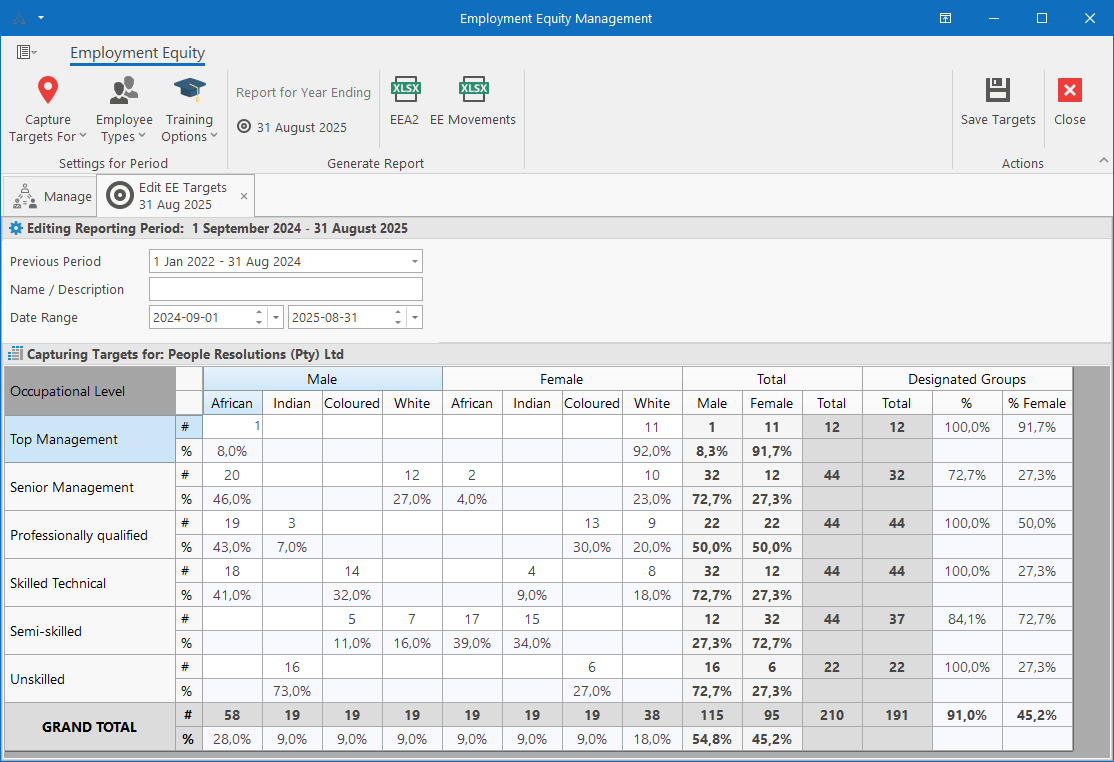
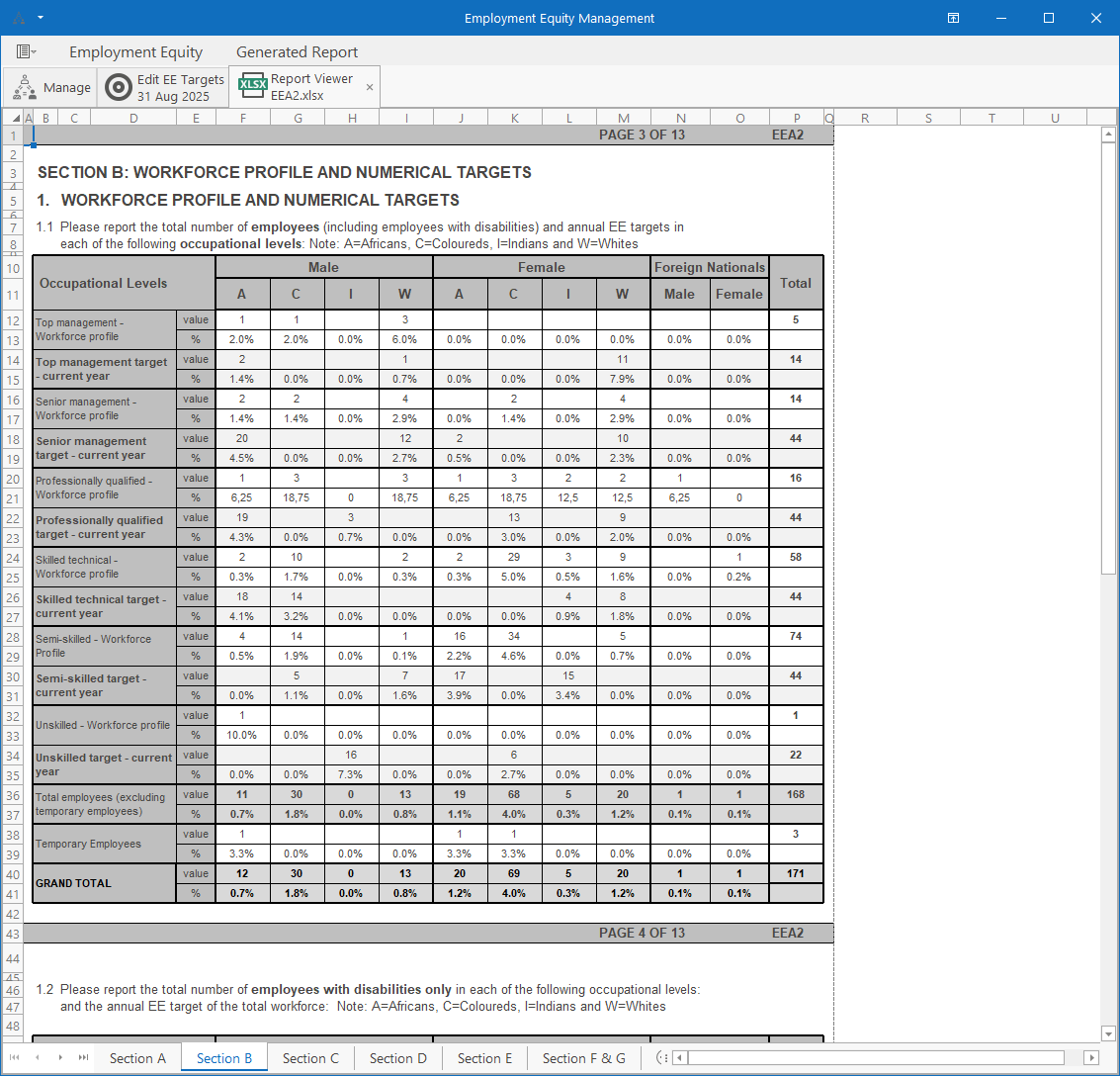
This version includes our BI module for the Windows application and updates to address the changes to the new Employment Equity report.
The Disciplinary module is being rewritten on the new platform which will enable plugin and reporting integration similar to the rest of our modules in the system. The Disciplinary module is now known as the Industrial Relations module.
Finally, we’ve further improved on the Asset Register and made general improvements and fixes as per the change log.
New BI Dashboard
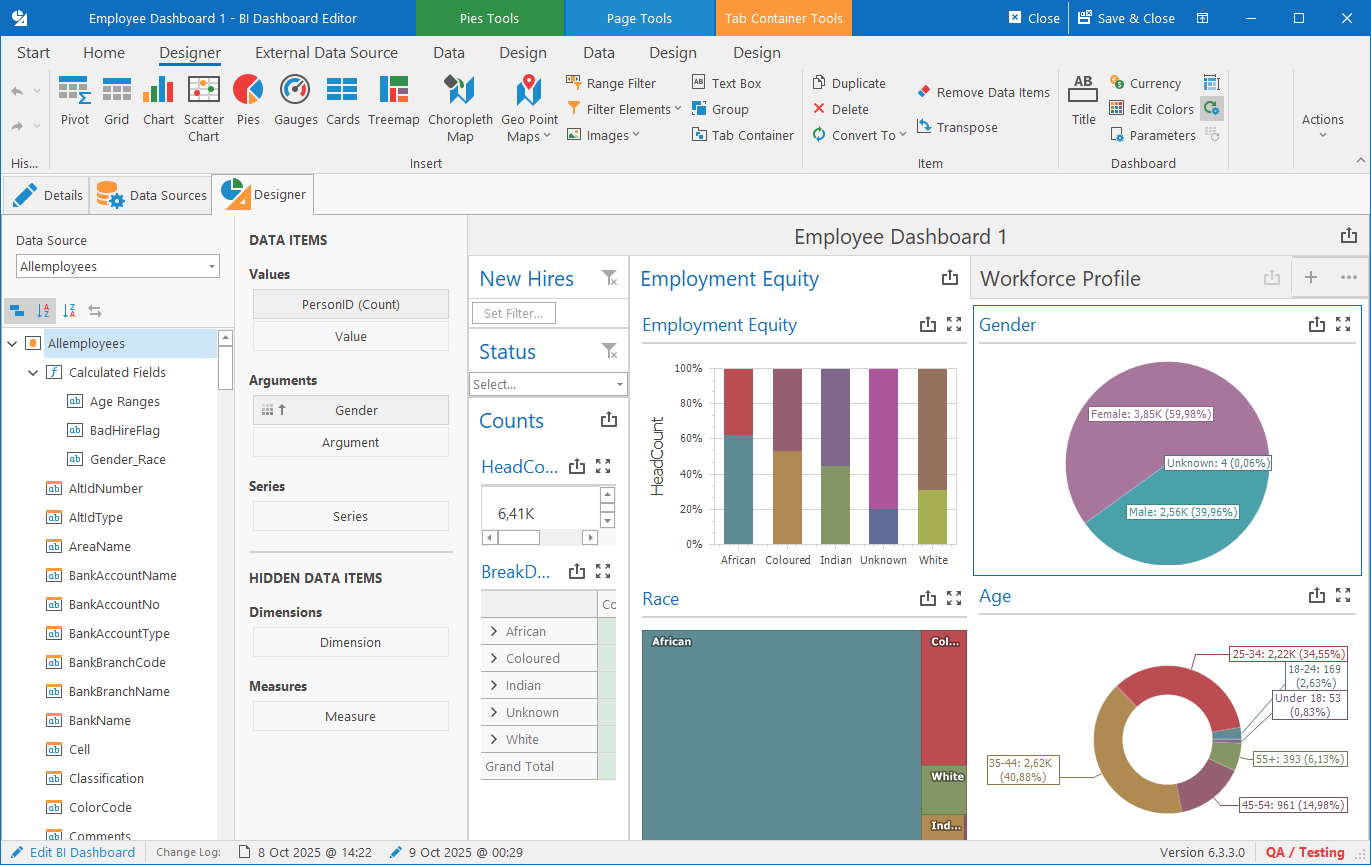
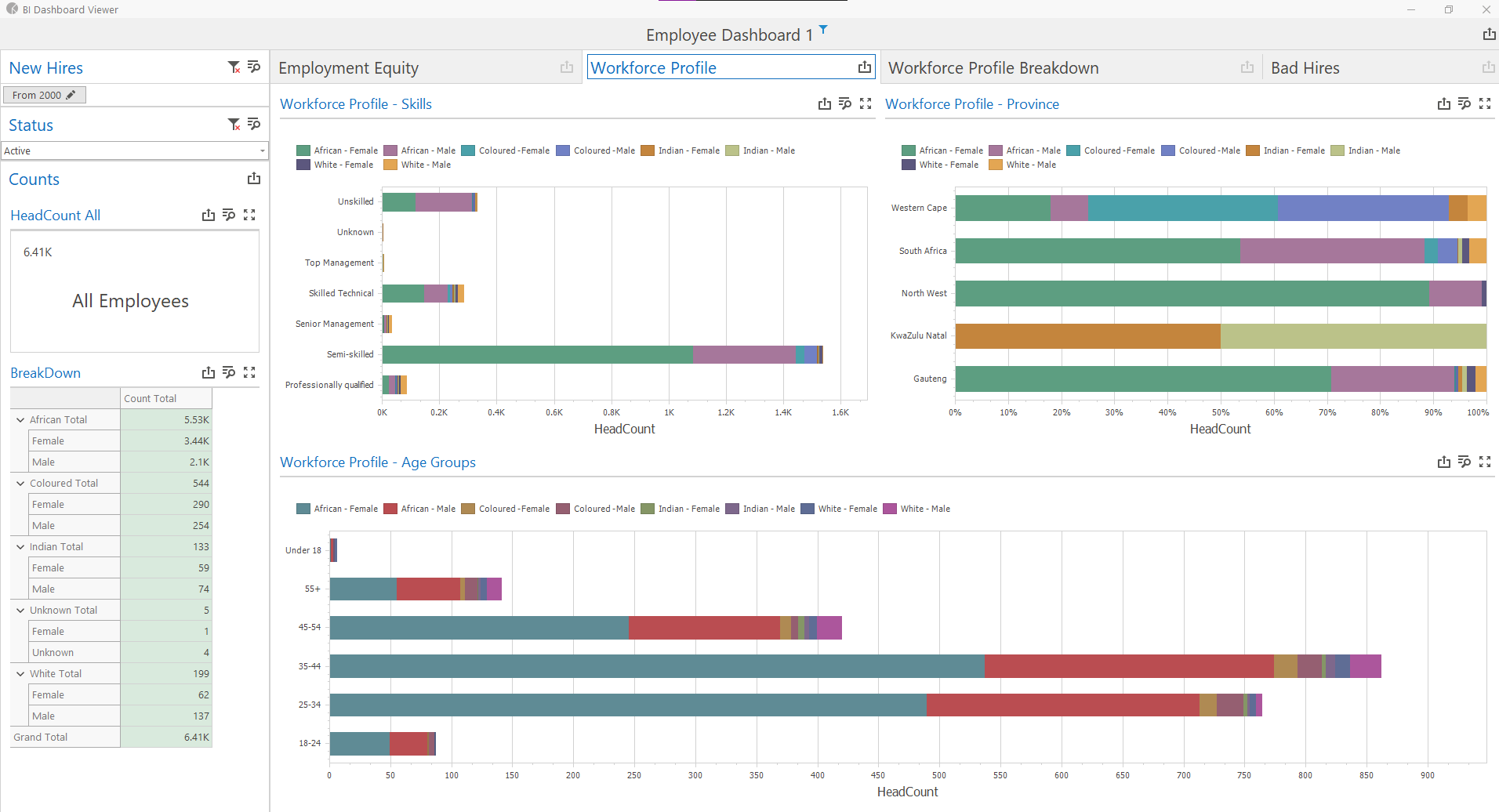
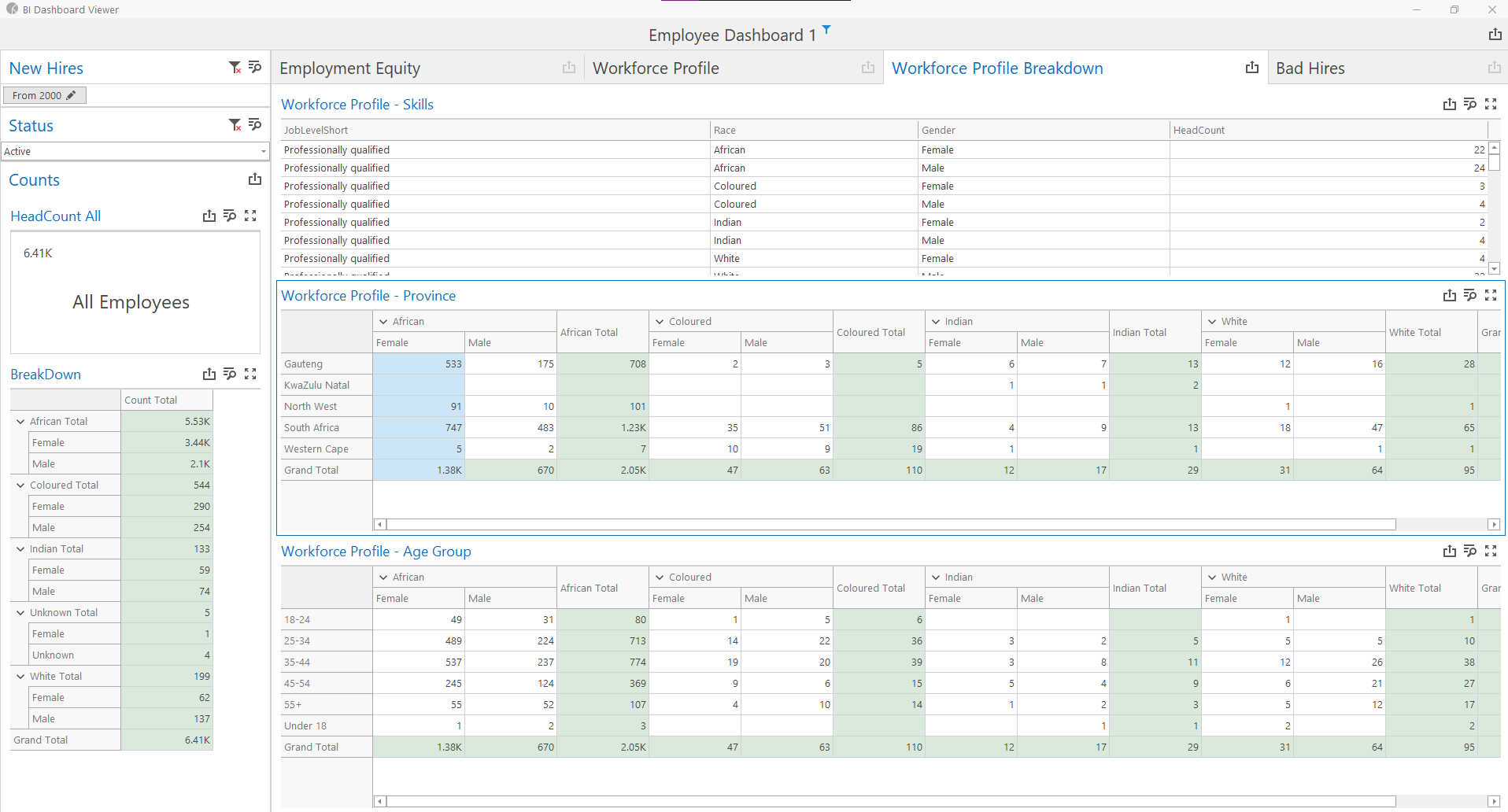
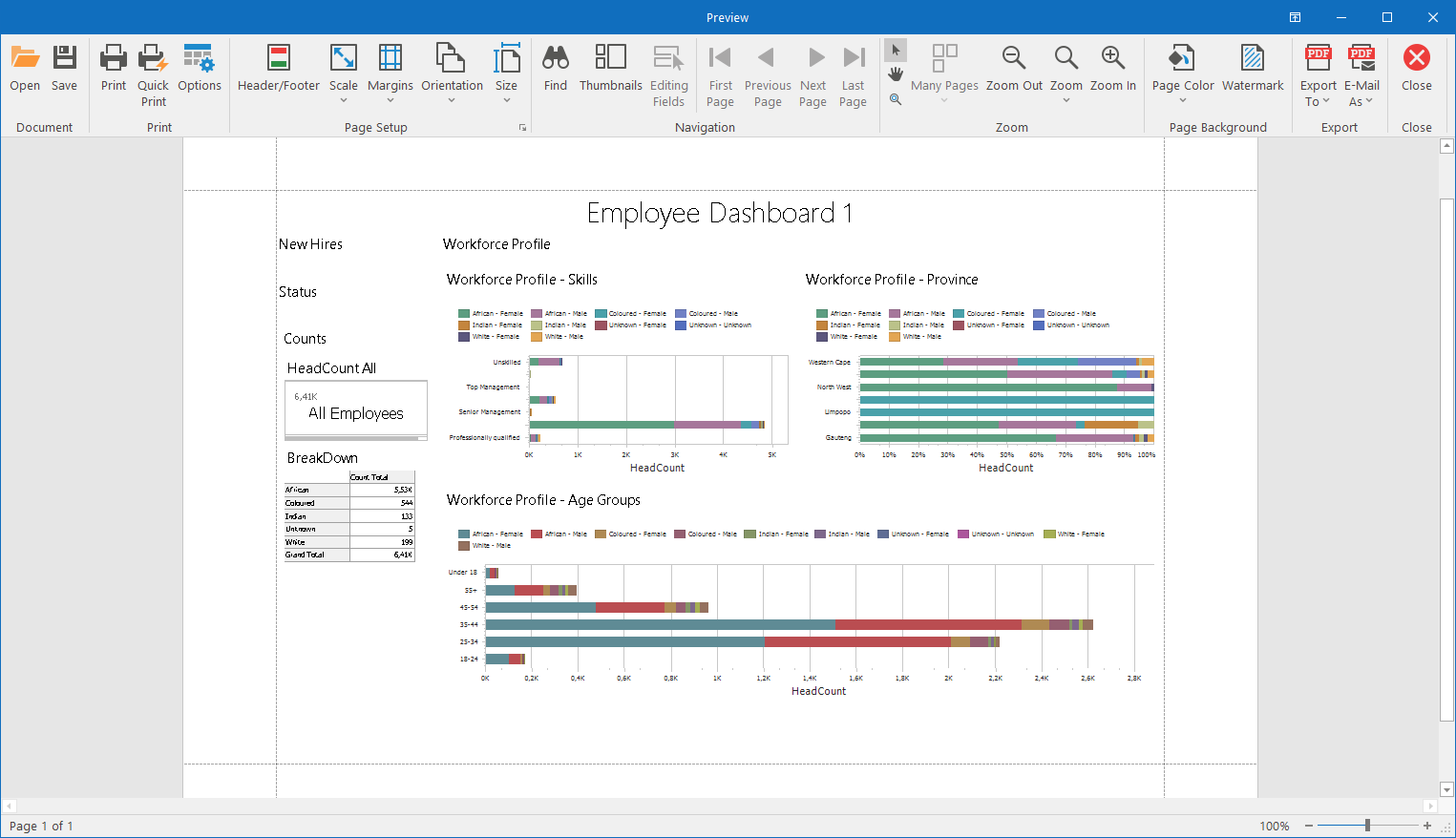
Employment Equity Report - 2025 version
See HR Manage 7 working
We will show version 7 on your own processes, and tell you where the features you need sit on the roadmap.