
HR Manage module
Reporting & exporting — EE, SETA and BI from live data
Statutory EE and SETA reports at the press of a button. BI dashboards, your own report designs and Excel for everything else.
HR and EE managers
who must submit the Employment Equity report and track progress against targets every year.
Skills development facilitators
who compile the Workplace Skills Plan and Annual Training Report for a SETA.
Removes
the spreadsheet rebuild: the reports read the records HR already keeps, and every number can be traced back to the people behind it.
The 2025 Employment Equity report
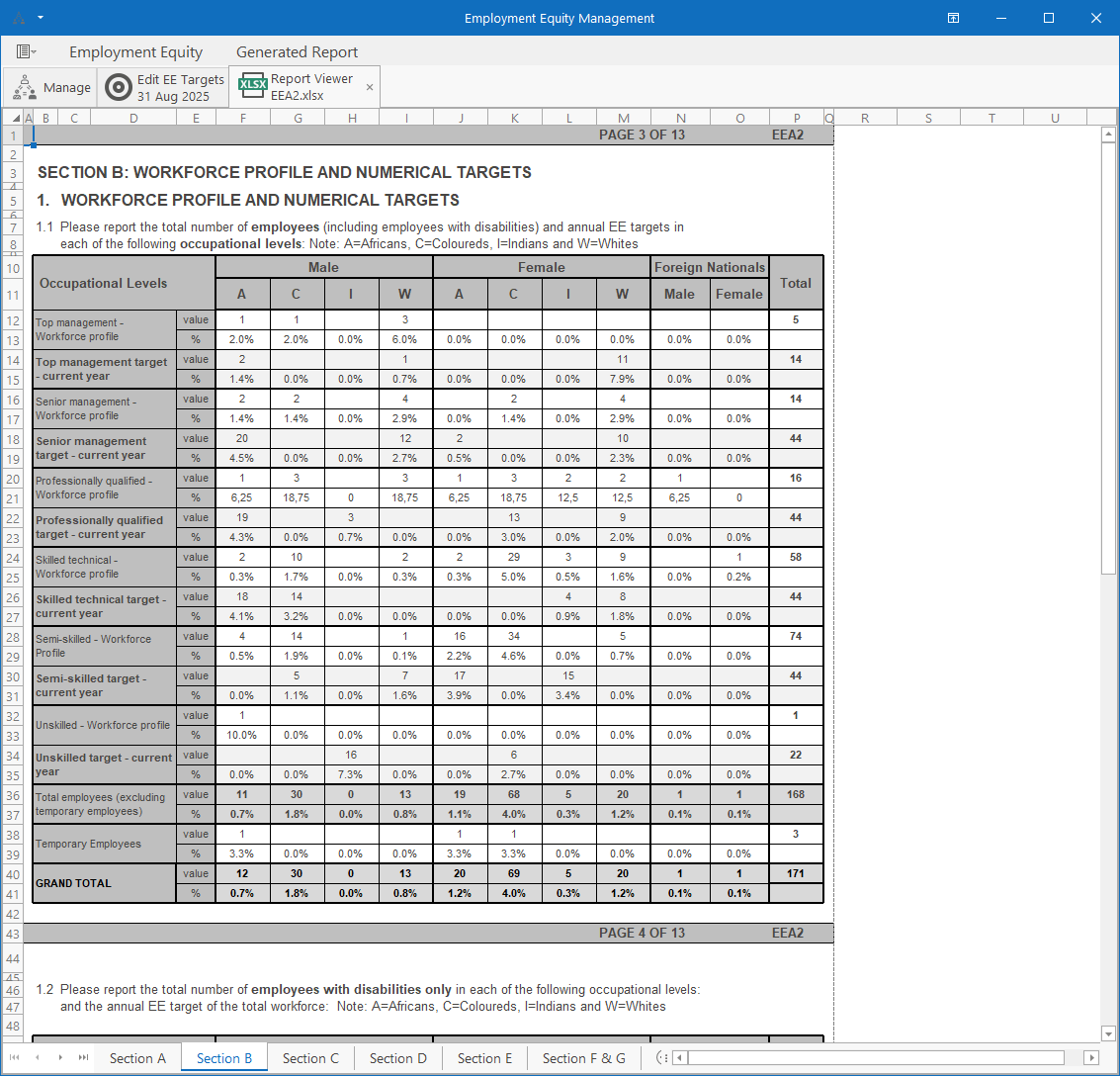
The Department of Employment and Labour changed the EE report in 2025, with sector targets and a new layout. HR Manage generates the new EEA2 as an Excel workbook that looks like the official form, one worksheet per section. The workforce profile, movements, terminations and training sections come from the employee, training and disciplinary records. The EE Movements report lists the appointments, promotions and terminations behind the numbers. Because the report is a workbook, HR can still adjust it before submitting. The 2025 template shipped in version 6.3.3 and carries into version 7.
EE targets per reporting period
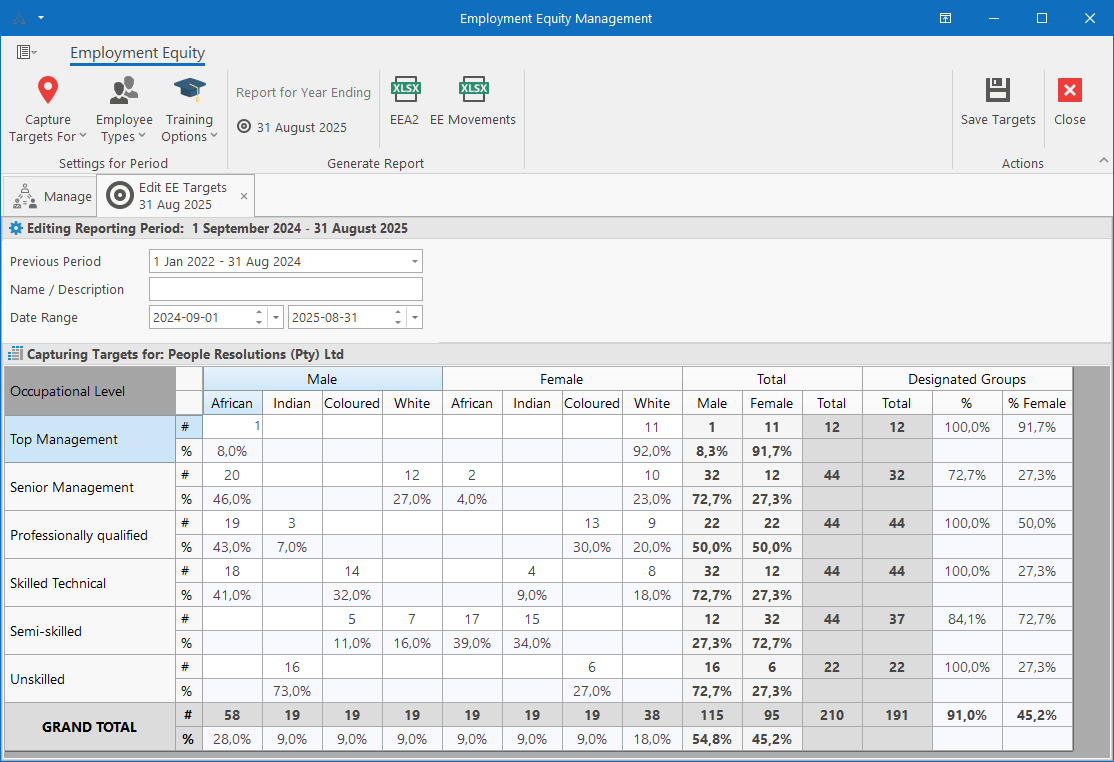
Targets are captured per reporting period, per occupational level, by race, gender and foreign nationals. Targets can be set for the whole company or for any level of the organisation, and they roll up into company-wide goals. The editor calculates totals, designated-group percentages and the female share as you type. Each period links to the previous one, so last year's targets carry forward. Targets captured in earlier versions pull straight through to the 2025 report. The actual workforce is compared with the targets, with clear indicators where they differ.
SETA reports: WSP and ATR
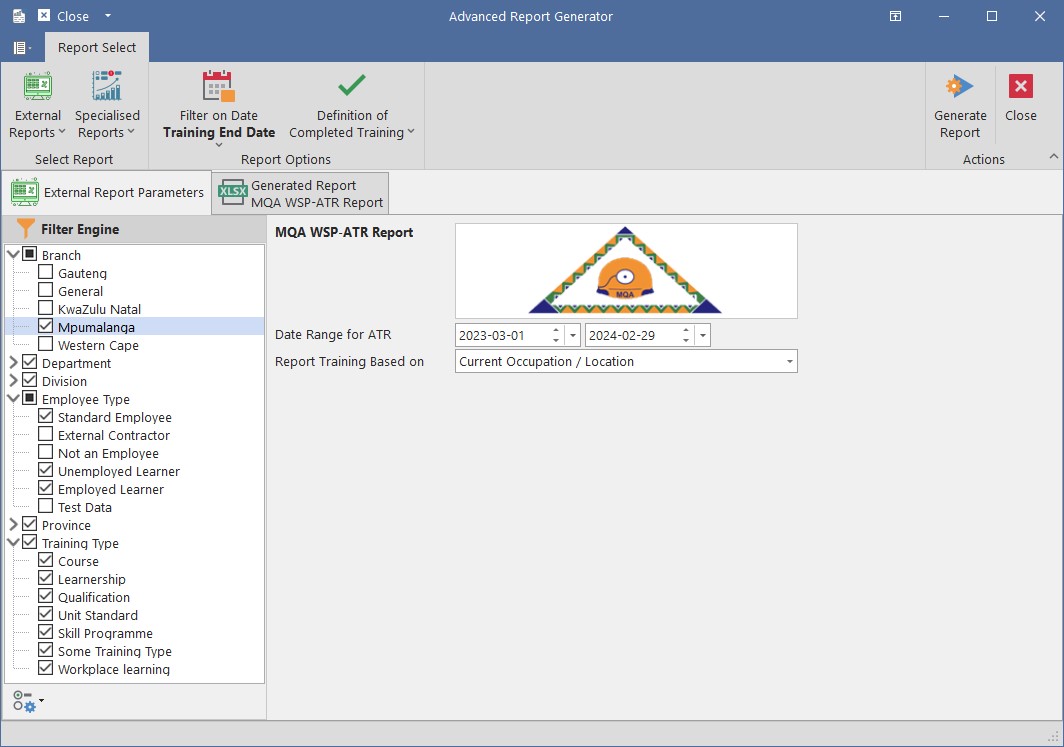
HR Manage generates the Workplace Skills Plan and Annual Training Report from the training records. It already stores what the SETAs ask for: OFO codes, skill levels, ABET, scarce skills and whether training is formal. Filter by branch, department, employee type or training type, and choose the date range and how completed training is defined. Reports are generated in Excel, one section per worksheet. Every number on the WSP or ATR can be traced back to the training records that make it up. SETA formats are reviewed every year and updated when a SETA changes them.
BI dashboards, designed in-house
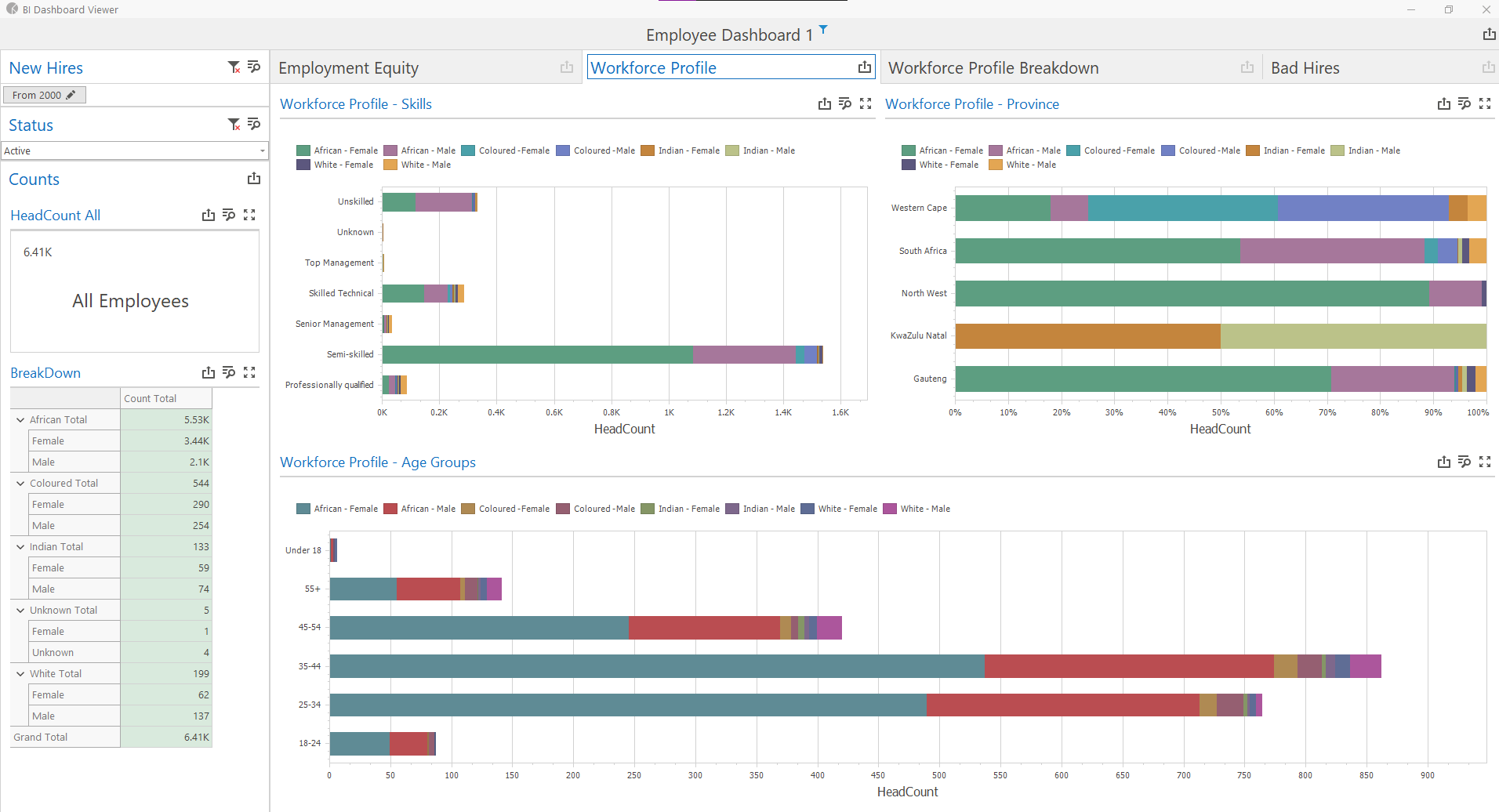
The BI Dashboard designer builds charts, grids, pivots and gauges without custom development. Dashboards combine HR Manage data with outside sources: SQL Server, Web APIs, Excel, XML and JSON. Each dashboard has its own security group, so only the right people can open it. A dashboard can cover employment equity, workforce profile, new hires and terminations in one place, as in the example shown. In version 7, people with the viewer role open dashboards in the web app as well as in the Windows application. The BI dashboards replace the old module dashboards, which now load without holding up sign-in.

Report designer for your own documents
The WYSIWYG report designer creates the reports a client needs for a specific purpose. Typical uses are certificates, training attendance registers, job profiles and forms. Reports are based on a record and its related records, for employees, training events, training records and more. A designed report appears in the report list of its module, so users find it where they work. Reports print, or save as PDF, Word or Excel. Program administrators design and publish them without help from PeopleRes.

Excel from any list, and the export wizard to come
Filter a list in the Windows application and export it to Excel with one click. Most lists in HR Manage work this way, so data reaches a spreadsheet without a report request. A new export platform is being built for the version 7 releases that follow. It saves an export as a reusable package with chosen columns, captions, formats and value maps across several sheets. Packages write Excel or CSV and can run unattended: compress, upload by FTP or email the result.
---
Screenshot to follow
Everything the module covers
EEA2 (2025)
The new Employment Equity report as an Excel workbook, one sheet per section.
EE Movements
Appointments, promotions and terminations behind the EE numbers.
EE targets
Per period and occupational level; previous targets carry forward.
SETA WSP / ATR
Generated from training records with OFO codes, skill levels and ABET.
Traceable numbers
Every total opens on the records that make it up.
BI dashboards
Charts, pivots and grids from HR Manage and outside data sources.
Web viewer
Dashboards open in the web app for people with the viewer role.
Dashboard security
Each dashboard limited to its own security group.
Report designer
WYSIWYG certificates, registers, job profiles and forms.
Output formats
PDF, Excel, Word and images from the report viewer.
Excel export
Most filtered lists to Excel with one click.
Export packages
Reusable multi-sheet exports with unattended delivery (in development).
Works with the rest of HR Manage
People management
EE reports read employee, occupation and termination records directly.
Training
the WSP, ATR and EE training section come from training records and events.
Compliance
compliance report data feeds dashboards and filters by location, job title and status.
Self-service
managers open dashboards and their team's leave and people reports in the web app.
South African employers have generated their EE and SETA reports from HR Manage since 2001. Clients include Assore, Fidelity, Tshipi and Metorex.


Questions we get asked
Does HR Manage produce the 2025 Employment Equity report?
Yes. The new EEA2 template, with sector targets, shipped in version 6.3.3 in October 2025 and is part of version 7. It is generated as an Excel workbook that matches the official form section by section. Targets captured in earlier versions pull through to the new report.
Where does the EE data come from?
From the records HR already keeps. Race, gender, disability, nationality and occupational level come from the employee and occupation records. Movements and terminations come from occupation history and termination reasons mapped to the EE categories. Training comes from formal training records. Nothing is typed into the report by hand.
Can we submit SETA reports straight from the system?
HR Manage generates the WSP and ATR in the format the SETA asks for, in Excel, from the training records. Where a SETA accepts an import file, a special export can be built; W&R SETA is one example. The report is then submitted through the SETA's own portal.
Can managers see reports and dashboards online?
Yes. Dashboards open in the web app for people with the BI dashboard viewer role, and each dashboard has its own security group. Designing dashboards and reports stays in the Windows application, which is where HR practitioners work.
Can we build our own reports without paying for development?
Yes. The report designer and the BI dashboard designer are part of the system and are used by program administrators. Typical client-built reports are certificates, attendance registers and job profiles. PeopleRes can design a report for you where you prefer.
Can we export data to another system on a schedule?
Today, scheduled exports are set up by PeopleRes with the PeopleRes Data Manager utility: export to a file or database, zip, FTP and import on the other side. The new export platform brings saved export packages with unattended delivery into HR Manage itself.
---
Your EE report, your SETA report and your board pack, from the data you already keep.
A 45-minute walkthrough on your own org structure, with your questions answered by the people who build it.